HoMedics Pet Plus Air Purifier Filters & Red Light Blinking Guide
Quick Answer
| Problem | Manual Explanation | What to Do |
|---|---|---|
| Need replacement filter | Use genuine HoMedics replacement True HEPA filter, model AP-PET35FL. | Replace the True HEPA filter every 12 months under normal use. |
| Replace filter light is on | The light turns on when it is time to replace the True HEPA filter based on hours of use. | Replace the filter, then hold the ionizer button for 3 seconds to reset the indicator. |
| UV-C button flashes red | The UV-C bulb has burned out and needs replacement. | Replace the UV-C bulb with HoMedics model AP-UVC1. |
HoMedics Pet Plus Air Purifier Replacement Filters
The HoMedics Pet Plus Air Purifier uses an all-in-one True HEPA filter system. According to the manual, the genuine replacement True HEPA filter model is AP-PET35FL. This is the main filter you should look for when searching for homedics pet plus air purifier filters or homedics pet plus air purifier replacement filters.
The manual states that, for optimal performance, the True HEPA filter should be replaced every 12 months under normal usage conditions. This replacement interval may vary in real life. A home with multiple pets, heavy dust, smoke, frequent cooking odors, or constant purifier use may require closer attention to airflow and odor performance.
How to Replace the HoMedics Pet Plus True HEPA Filter
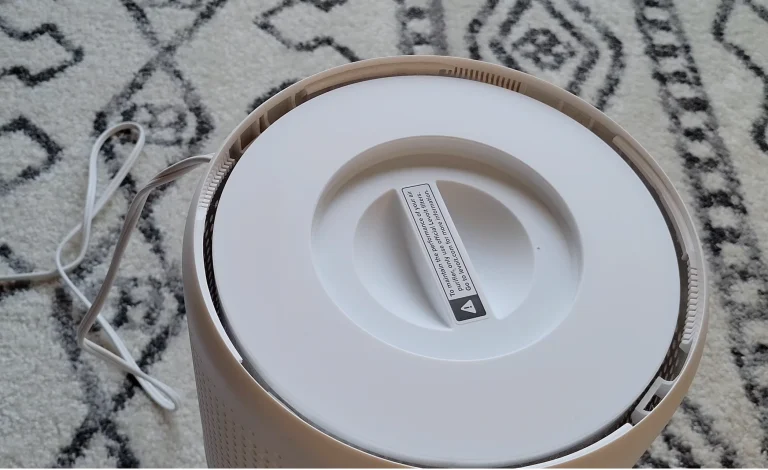
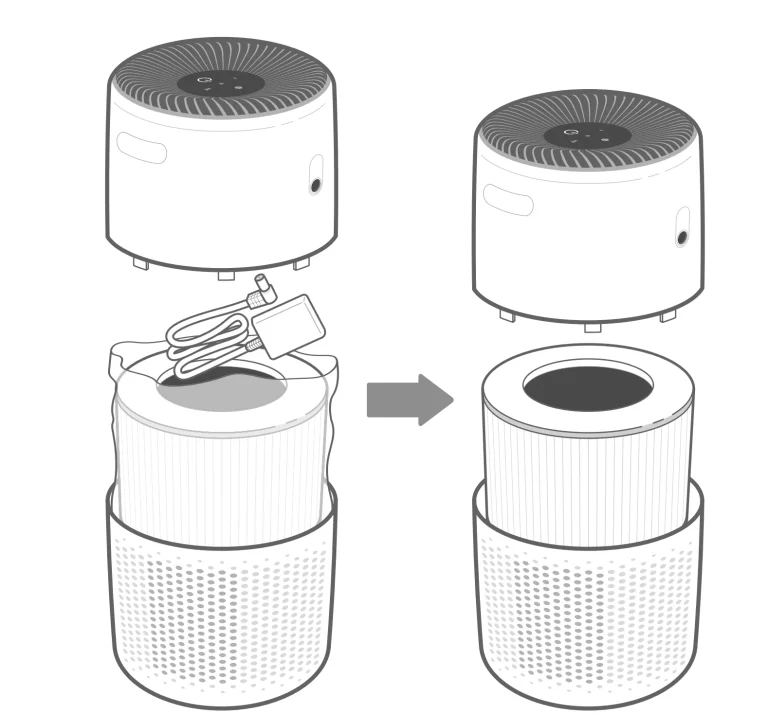
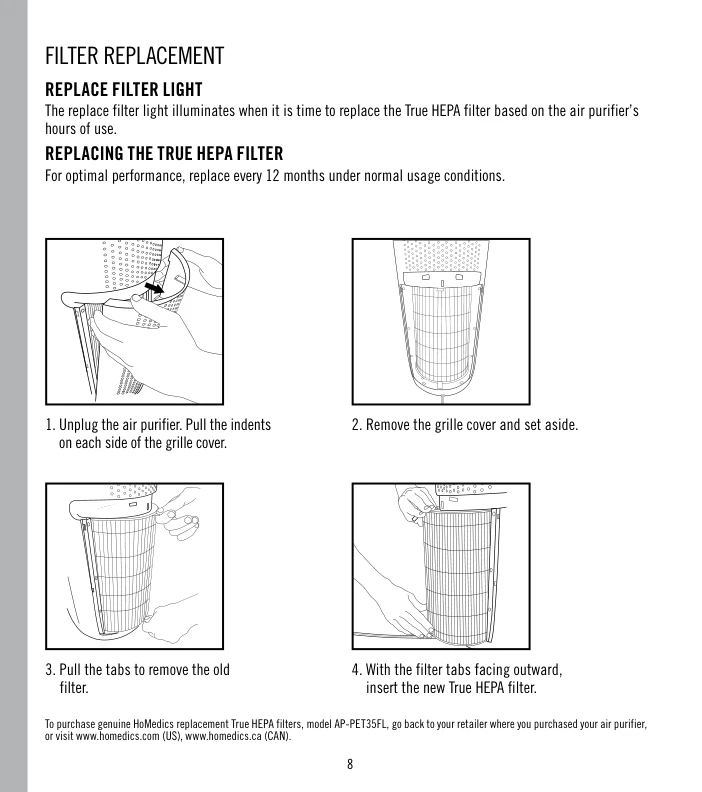
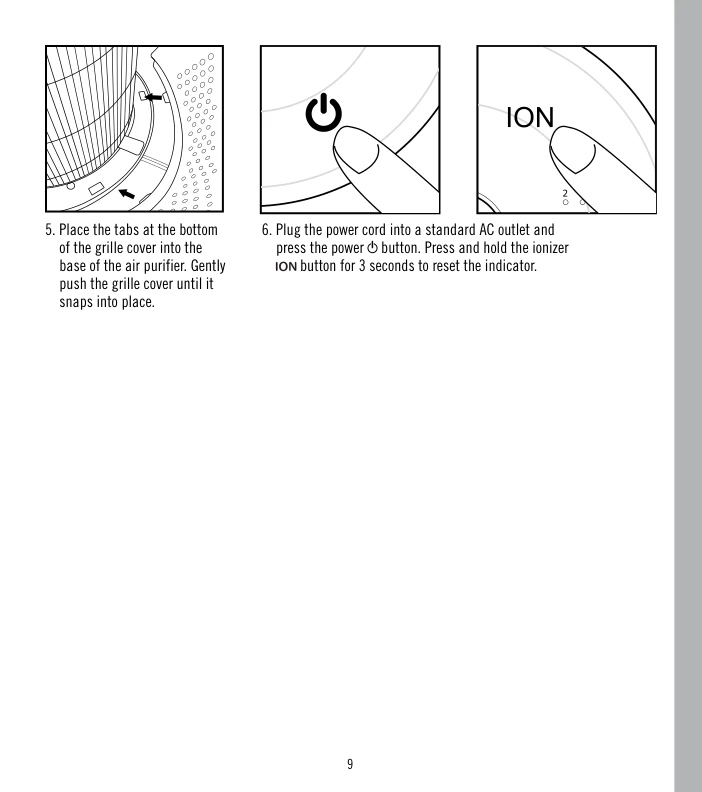
The manual gives a simple filter replacement process. Before starting, always unplug the air purifier. Then pull the indents on each side of the grille cover and remove the grille cover. After that, pull the tabs to remove the old filter. Insert the new True HEPA filter with the filter tabs facing outward. Finally, place the tabs at the bottom of the grille cover into the base of the air purifier and gently push the grille cover until it snaps into place.
After replacing the filter, plug the power cord into a standard AC outlet and turn the unit on. To reset the filter indicator, press and hold the ionizer button for 3 seconds. This reset step is important because the replace filter light is based on the purifier’s hours of use. If you replace the filter but do not reset the indicator, the light may remain on.
What If the Replace Filter Light Stays On?
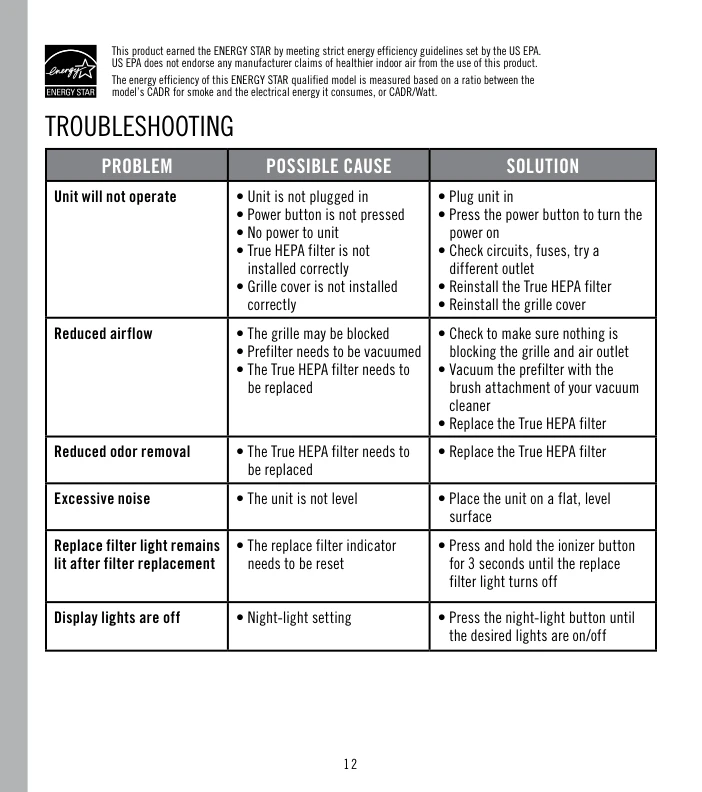
If the replace filter light remains lit after you install a new filter, the manual lists the likely cause: the replace filter indicator needs to be reset. The solution is to press and hold the ionizer button for 3 seconds until the replace filter light turns off.
This is a useful troubleshooting point because many users may think the new filter is defective or installed incorrectly. In many cases, the issue may simply be that the indicator has not been reset after the replacement process.
HoMedics Pet Plus Air Purifier Red Light Blinking
The keyword homedics pet plus air purifier red light blinking can refer to more than one issue, so it is important to identify which light is involved. The manual clearly says that the UV-C button on the control panel will flash red when the UV-C bulb burns out and needs to be replaced.
This is different from the replace filter indicator. If the replace filter light is on, the True HEPA filter likely needs replacement or the indicator needs to be reset. If the UV-C button is flashing red, the UV-C bulb is the issue.
What Does the UV-C Red Flash Mean?
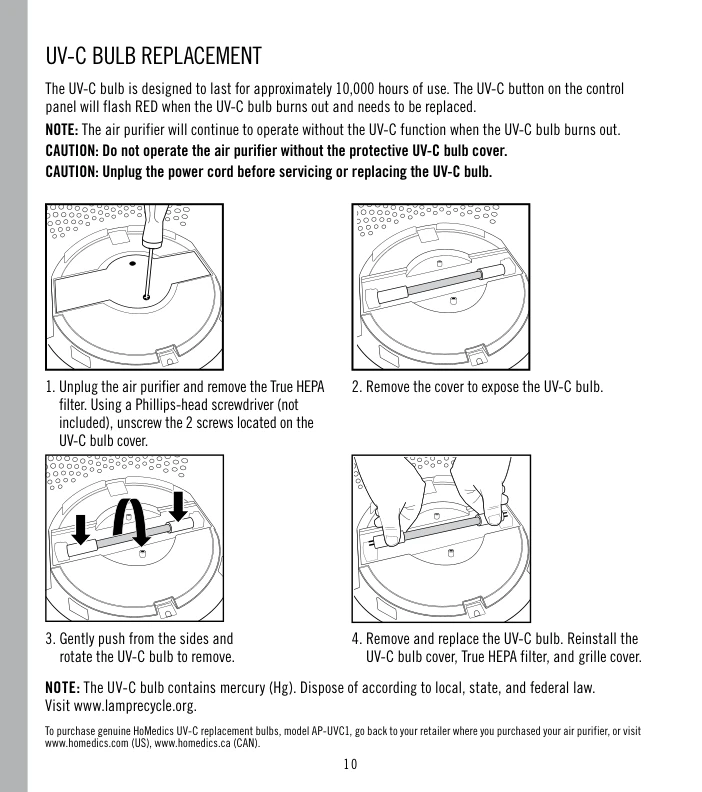
According to the manual, the UV-C bulb is designed to last approximately 10,000 hours of use. When the UV-C bulb burns out, the UV-C button on the control panel flashes red. The purifier can continue operating without the UV-C function, but the UV-C feature will not work until the bulb is replaced.
The correct replacement UV-C bulb model is AP-UVC1. The manual also warns users to unplug the power cord before servicing or replacing the UV-C bulb. It also says not to operate the air purifier without the protective UV-C bulb cover.
How to Replace the UV-C Bulb
The manual’s UV-C bulb replacement process starts by unplugging the air purifier and removing the True HEPA filter. Then, using a Phillips-head screwdriver, remove the two screws located on the UV-C bulb cover. After removing the cover, gently push from the sides and rotate the UV-C bulb to remove it. Replace the bulb, then reinstall the UV-C bulb cover, True HEPA filter, and grille cover.
The manual also notes that the UV-C bulb contains mercury, so it should be disposed of according to local, state, and federal law. This is an important safety point to include in any troubleshooting article about a red flashing UV-C light.
Troubleshooting Table From the Manual
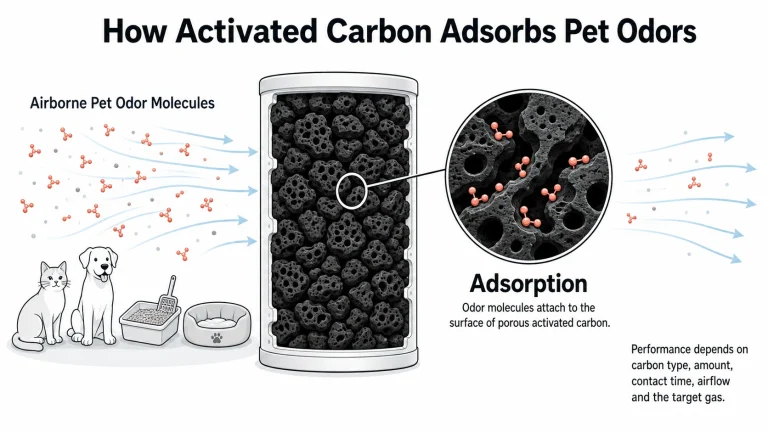
The troubleshooting section of the manual is useful because it connects filter issues with real symptoms. For reduced airflow, the possible causes include a blocked grille, a prefilter that needs vacuuming, or a True HEPA filter that needs replacement. For reduced odor removal, the manual lists the True HEPA filter as needing replacement. For the replace filter light remaining lit after filter replacement, the solution is to reset the indicator by holding the ionizer button for 3 seconds.
Final Summary
For replacement filters, the HoMedics Pet Plus Air Purifier uses the genuine HoMedics True HEPA replacement filter model AP-PET35FL. The manual recommends replacing it every 12 months under normal usage conditions. After replacing the filter, reset the indicator by holding the ionizer button for 3 seconds.
For red light blinking, check which light is flashing. If the UV-C button flashes red, the UV-C bulb has burned out and needs replacement with model AP-UVC1. If the replace filter light remains on after a filter change, the indicator likely needs to be reset. Understanding this difference helps users fix the correct issue without replacing the wrong part.