How to Use Winix 5500-2: Filter Replacement & Check Filter Light Guide
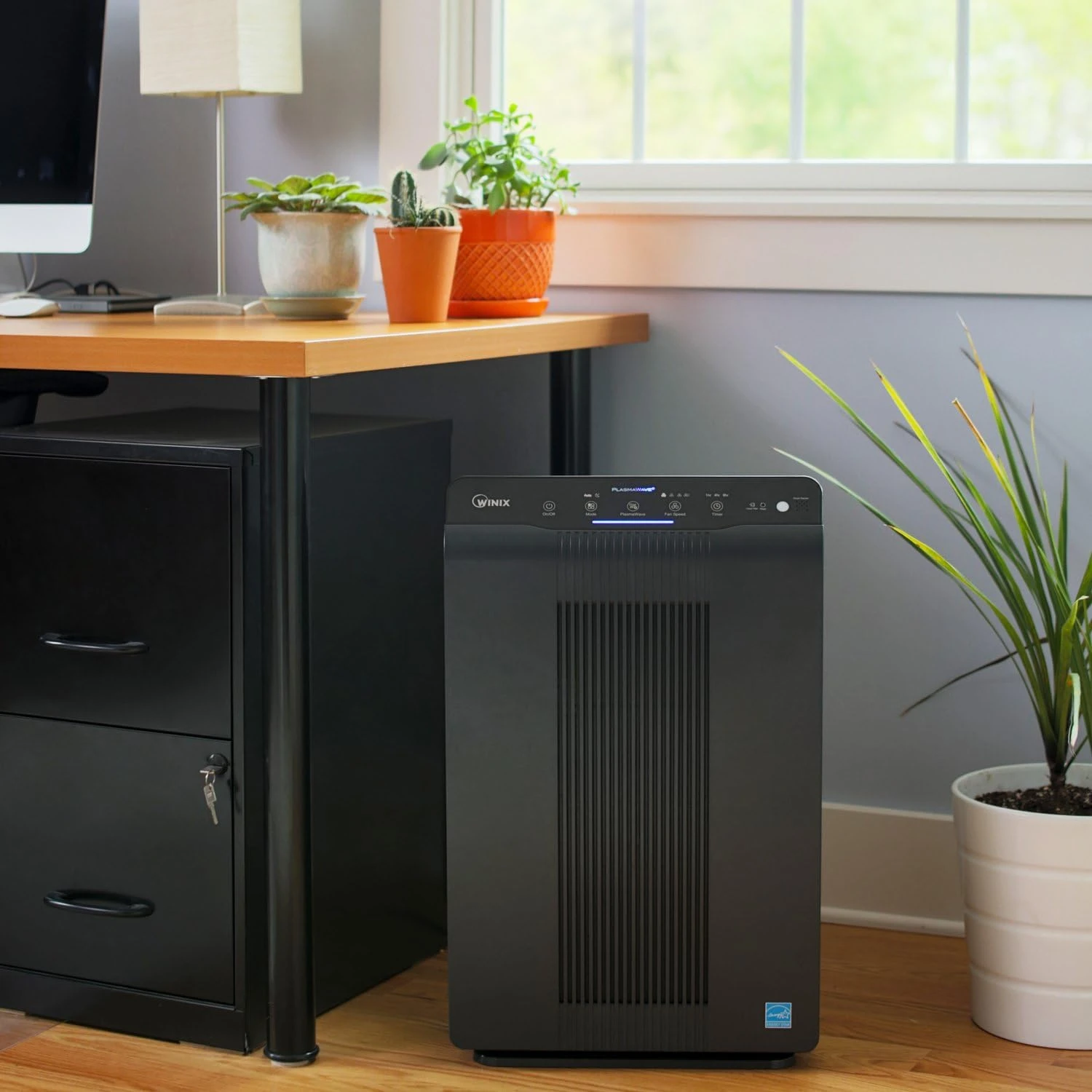
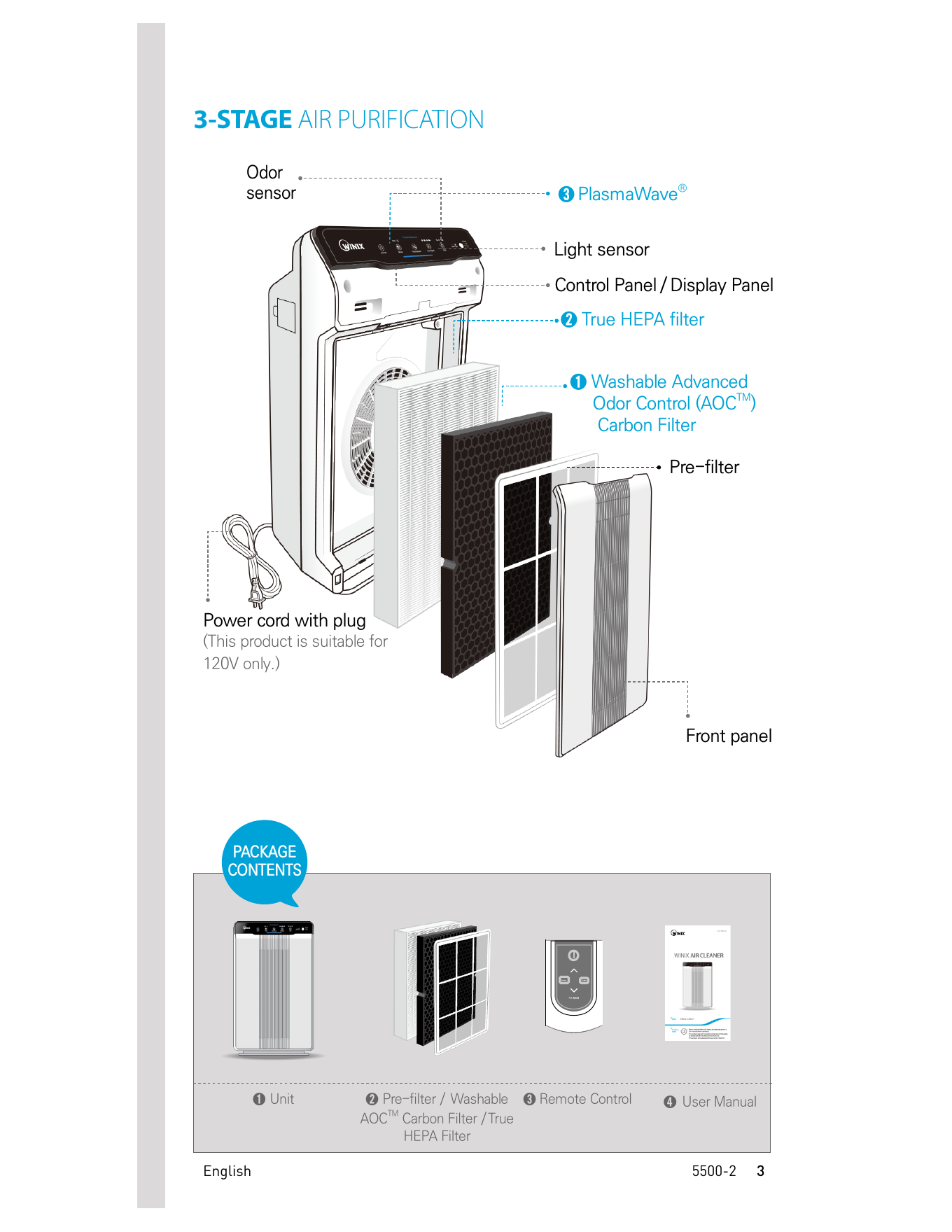
The Winix 5500-2 is an air purifier designed for household use with a 3-stage air purification system. According to the official Winix 5500-2 User Manual, the unit includes a Pre-filter, a Washable AOC™ Carbon Filter, a True HEPA Filter, and PlasmaWave® technology.
This guide explains how to use the Winix 5500-2, how often to change the filter, what the Check Filter light means, and how to replace and clean the filters properly based on the official user manual.
Winix 5500-2 Setup: What to Do Before First Use
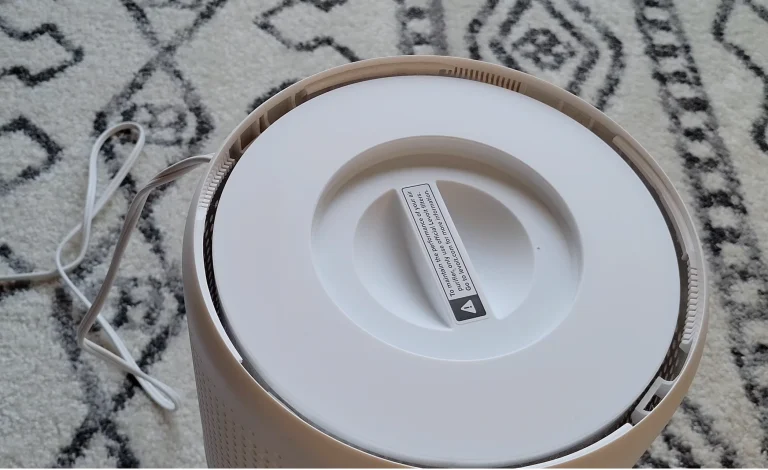
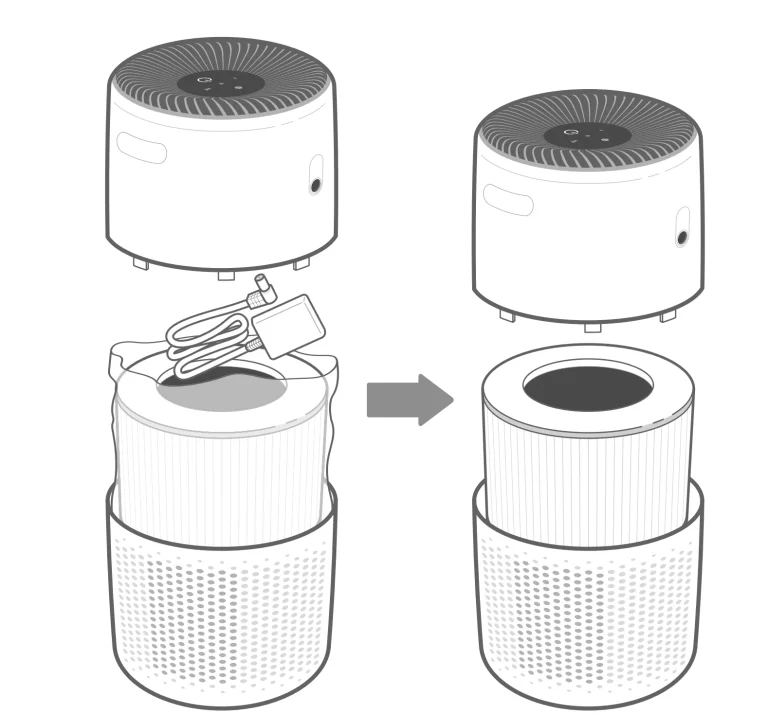
Before using the Winix 5500-2 for the first time, the protective plastic wrap must be removed from the filters. The manual warns that operating the unit without removing the plastic wrap may cause abnormal noise, deformation, or fire due to overheating.
To prepare the unit for first use:
- Make sure the unit is turned off and unplugged.
- Remove the front panel by grasping the upper edge and gently pulling it forward.
- Remove the filters from the unit.
- Take the filters out of their protective plastic wrap.
- Install the filters in the correct order.
- Replace the front panel.
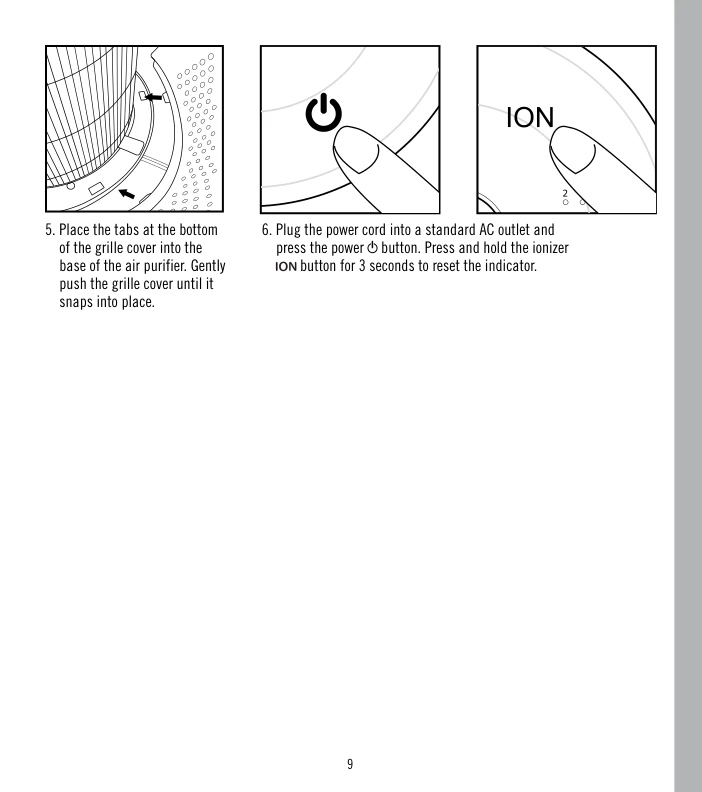
- Plug the power cord into an electrical outlet and press the Power button.
Correct Filter Installation Order
| Position | Filter | Installation Order |
|---|---|---|
| Rear | True HEPA Filter | Install first |
| Middle | Washable AOC™ Carbon Filter | Install second |
| Front | Pre-filter | Install last |
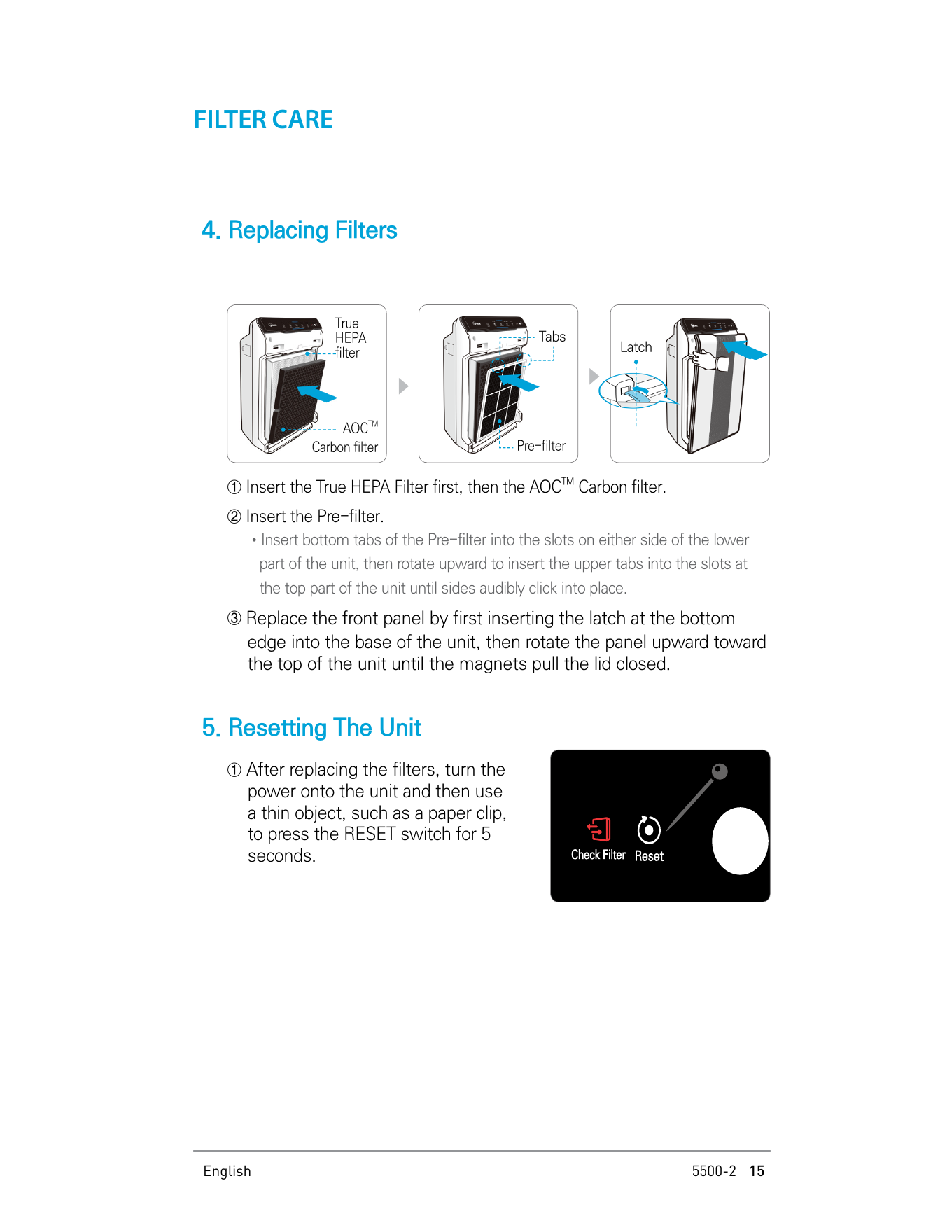
When installing the Pre-filter, insert the bottom tabs into the slots on both sides of the lower part of the unit. Then rotate the filter upward until the upper tabs click into place.
Where to Use the Winix 5500-2
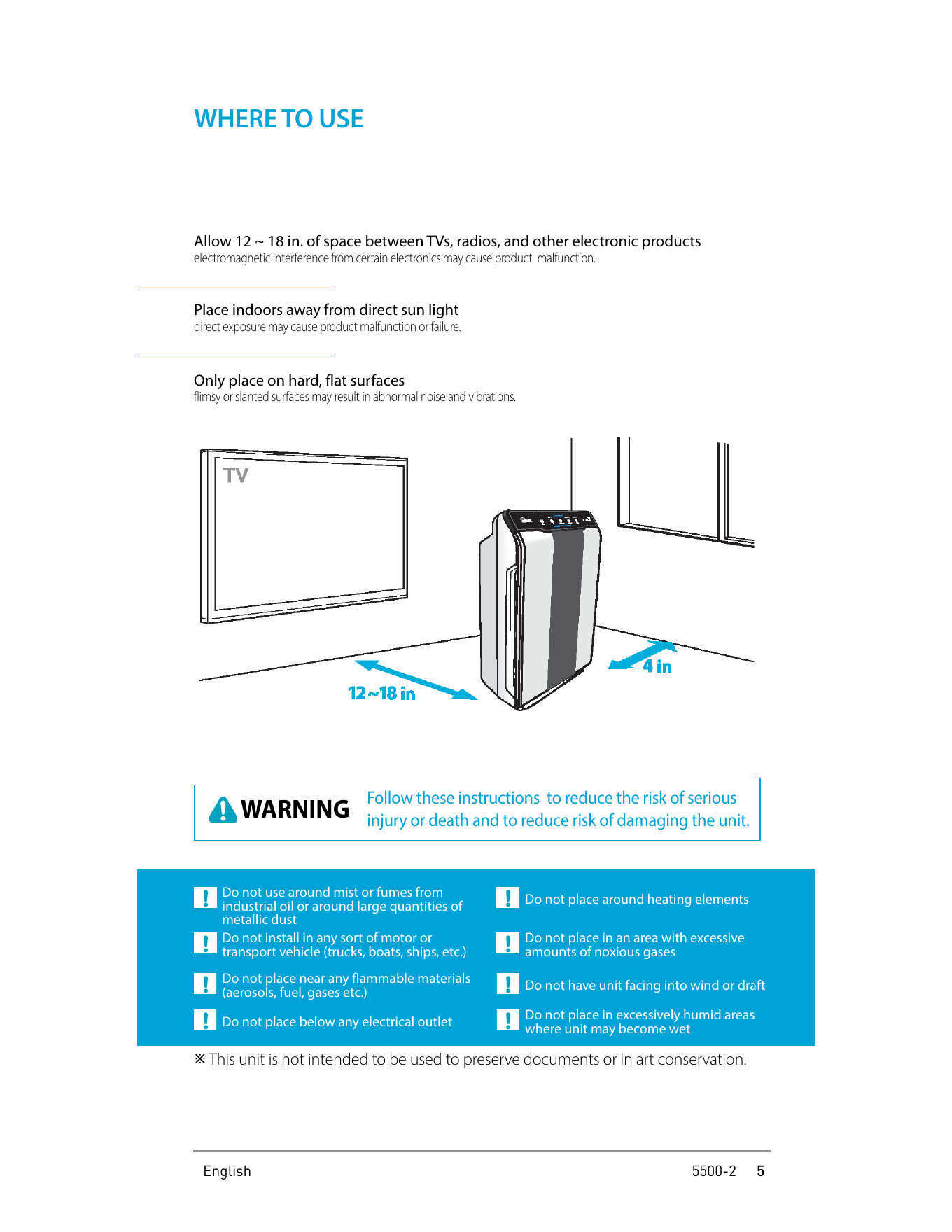
The Winix 5500-2 should be used indoors on a hard, flat surface. The manual recommends keeping the unit away from direct sunlight because direct exposure may cause product malfunction or failure.
The manual also recommends allowing 12 to 18 inches of space between the air purifier and TVs, radios, or other electronic products. Electromagnetic interference from certain electronics may cause the product to malfunction.
Do Not Use the Unit In These Locations
- Do not use it around mist or fumes from industrial oil.
- Do not use it around large quantities of metallic dust.
- Do not place it near flammable materials such as aerosols, fuel, or gases.
- Do not place it around heating elements.
- Do not place it in excessively humid areas where the unit may become wet.
- Do not place it below an electrical outlet.
- Do not place it in an area with excessive amounts of noxious gases.
- Do not have the unit facing into wind or draft.
How to Turn On the Winix 5500-2
To start the Winix 5500-2:
- Insert the power cord into an electrical outlet.
- Press the Power button.
- When the unit first powers on, it will be set to Auto Mode with PlasmaWave® enabled by default.
During the first 30 seconds after powering on, the Air Quality Indicator will cycle through blue, yellow, and red colors. The Smart Sensors take approximately 4 minutes to gauge the air quality in the environment. After that, normal operation begins.
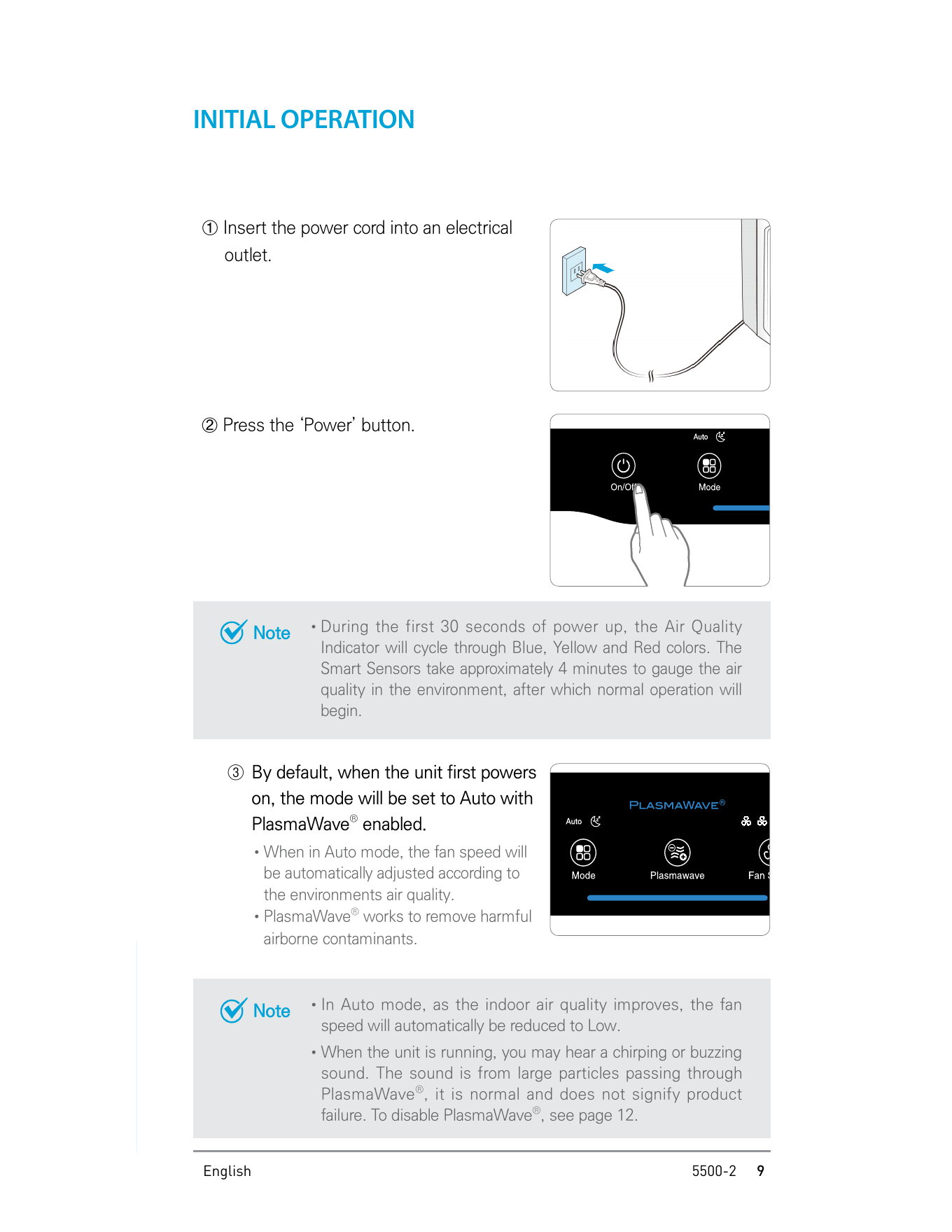
Winix 5500-2 Control Panel Overview
The control panel includes buttons and indicators for Power, Mode, PlasmaWave®, Fan Speed, Timer, Check Filter, Reset, Air Quality Indicator, Odor Sensor, and Light Sensor.
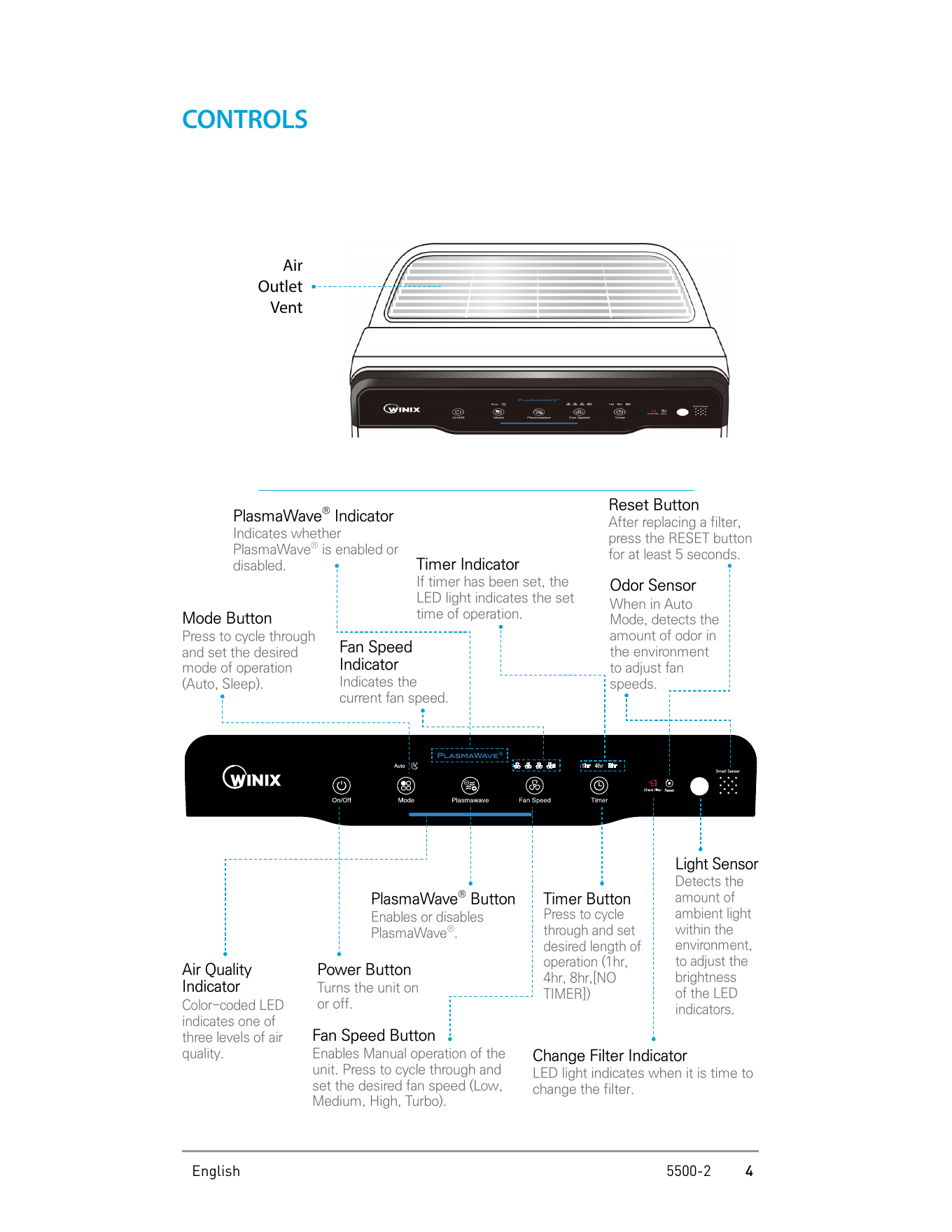
How to Use Auto Mode
Auto Mode allows the Winix 5500-2 to operate based on the unit’s air quality Smart Sensors. Press the Mode button to select Auto Mode. When Auto Mode is activated, the Auto LED light will turn on.
In Auto Mode, the fan speed automatically adjusts according to indoor air quality. If the indoor air quality improves, the fan speed is automatically reduced. If the indoor air quality decreases, the fan speed automatically increases.
How to Use Sleep Mode
Press the Mode button to select Sleep Mode. When Sleep Mode is activated, the Sleep LED light will turn on and the fan speed is automatically set to Low.
According to the manual, when Sleep Mode is activated, the Air Quality Indicator LED light is disabled. If the Fan Speed button is pressed while in Sleep Mode, the unit changes into Manual Mode.
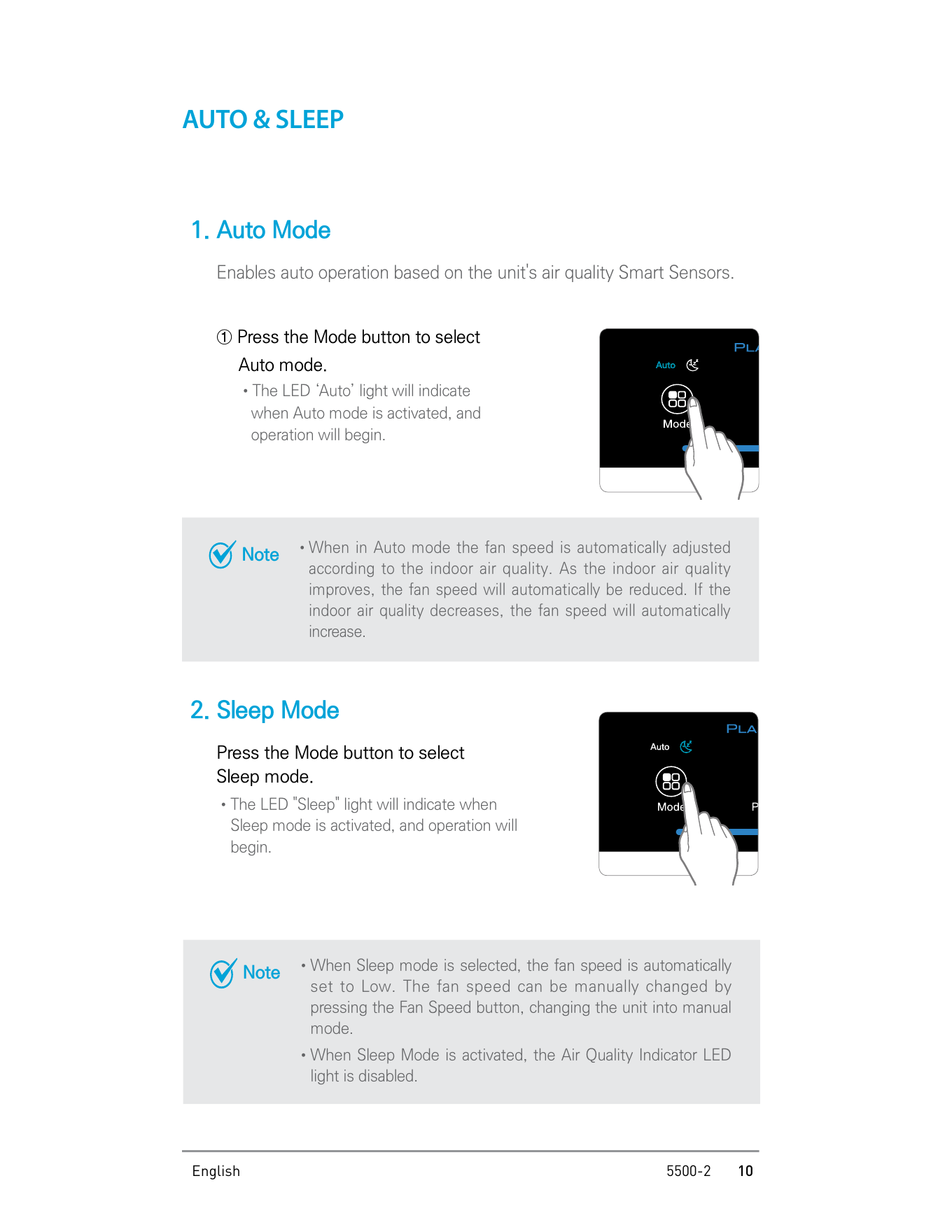
How to Use Manual Mode and Fan Speed
Manual Mode allows you to select the fan speed yourself. Press the Fan Speed button to cycle through the available fan speed settings.
| Fan Speed Option | Description |
|---|---|
| Low | Low fan speed |
| Medium | Medium fan speed |
| High | High fan speed |
| Turbo | Maximum fan speed |
When Manual Mode is selected, Auto Mode is automatically disabled.
How to Use the Timer
The Timer function lets the Winix 5500-2 run for a selected length of time. Press the Timer button to cycle through the timer settings.
| Timer Setting | Meaning |
|---|---|
| 1hr | The unit runs for 1 hour |
| 4hr | The unit runs for 4 hours |
| 8hr | The unit runs for 8 hours |
| No Timer | Timer is not set |
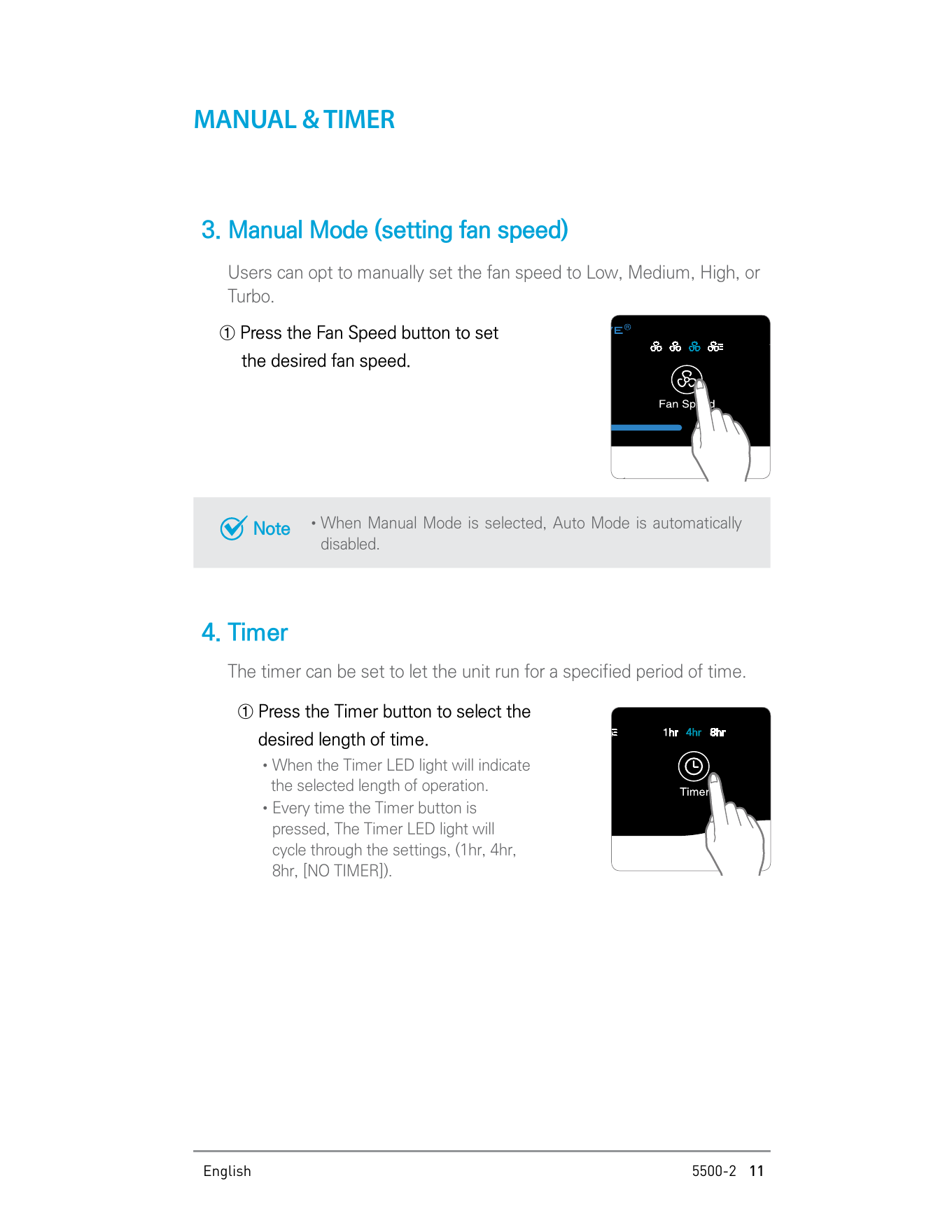
How to Use PlasmaWave®
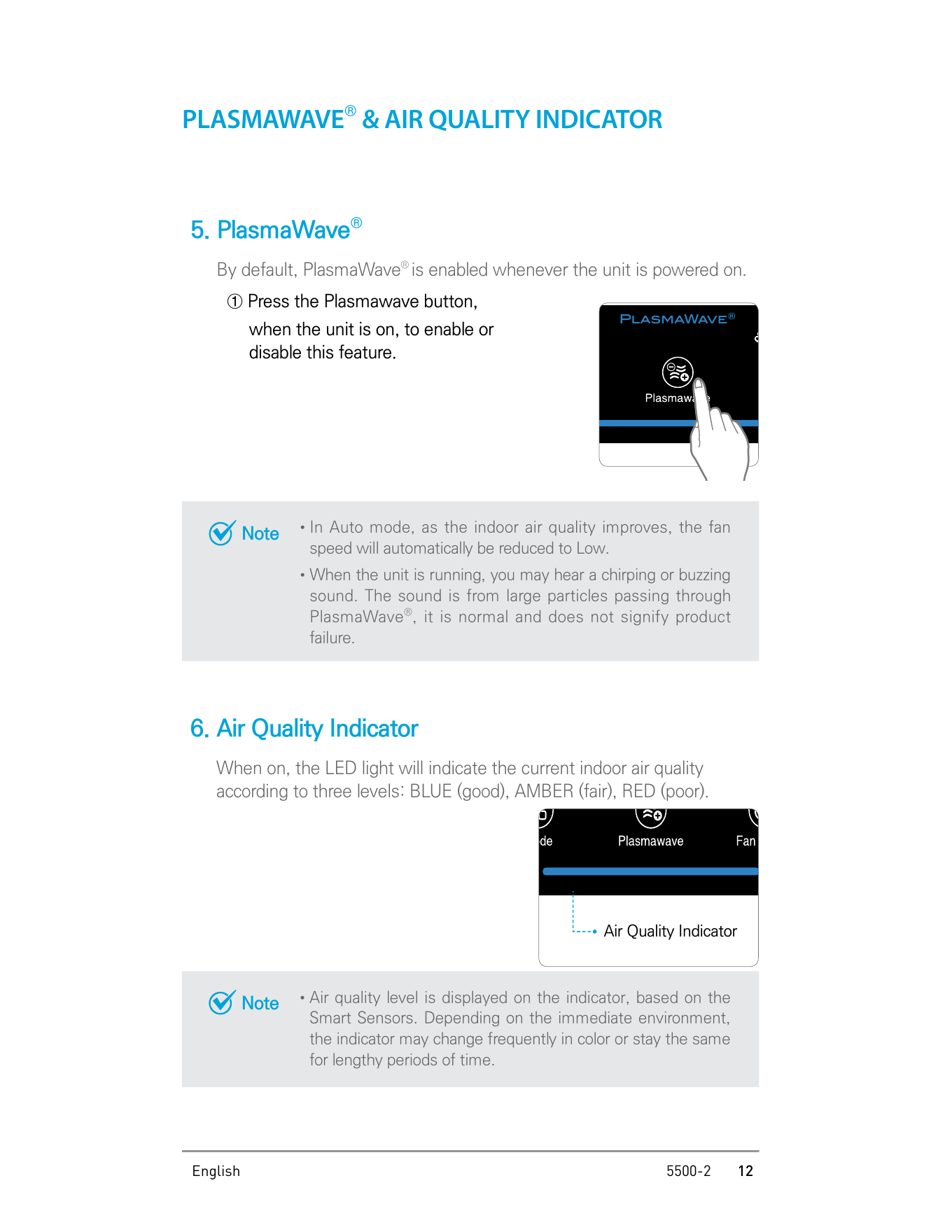
PlasmaWave® is enabled by default whenever the Winix 5500-2 is powered on. To enable or disable this feature, press the PlasmaWave® button while the unit is on.
The manual notes that when the unit is running, you may hear a chirping or buzzing sound. This sound comes from large particles passing through PlasmaWave® and is normal. It does not indicate product failure.
Air Quality Indicator Colors
The Air Quality Indicator displays the current indoor air quality according to three color levels.
| Indicator Color | Air Quality Level |
|---|---|
| Blue | Good |
| Amber | Fair |
| Red | Poor |
The manual explains that the air quality level is displayed based on the Smart Sensors. Depending on the immediate environment, the indicator may change color frequently or stay the same for long periods of time.
Winix 5500 2 How Often to Change Filter
According to the Winix 5500-2 User Manual, filter maintenance depends on the type of filter. The Pre-filter is permanent and should be cleaned regularly. The Washable AOC™ Carbon Filter lasts up to 12 months, while the True HEPA Filter cannot be washed.
| Filter | When to Service | When to Replace |
|---|---|---|
| Pre-filter | Clean once every 14 days | Permanent |
| Washable AOC™ Carbon Filter | Clean once every 3 months | Lasts up to 12 months |
| True HEPA Filter | Cannot be washed | Replace when required by the Check Filter indicator or actual filter condition |
The manual also states that filter replacement intervals may vary depending on the environment. If there is more dust or pollution in the air, the filters may become dirty faster and their life may be shortened.
If the filters are heavily soiled, have a bad odor, or if the fan strength is significantly weakened, the manual recommends replacing the filters even if the Change Filter indicator has not turned on.
Winix 5500 2 Check Filter Light: What It Means
The Check Filter light, also described as the Change Filter Indicator in the manual, turns on when it is time to replace the filters.
When the Check Filter indicator LED is on, the manual says it is time to replace both the True HEPA Filter and the AOC™ Carbon Filter.
What to Do When the Check Filter Light Is On
- Turn off the unit.
- Unplug the power cord.
- Remove the front panel.
- Remove the Pre-filter.
- Remove the AOC™ Carbon Filter and True HEPA Filter.
- Remove the protective plastic wrap from the new filters.
- Install the new True HEPA Filter first.
- Install the new AOC™ Carbon Filter second.
- Reinstall the Pre-filter.
- Replace the front panel.
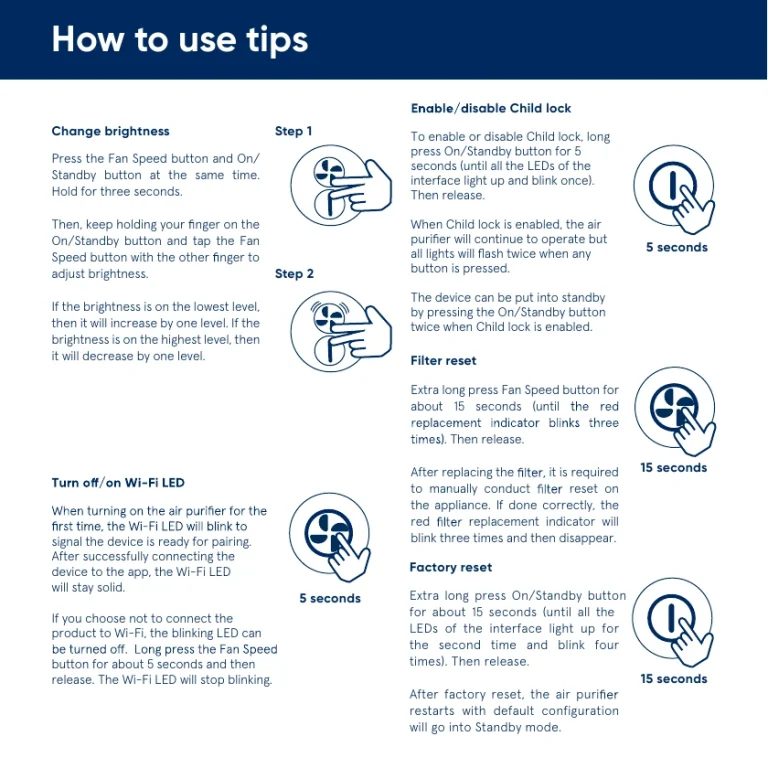
- Turn the unit on and press the RESET switch for 5 seconds using a thin object such as a paper clip.
Winix 5500-2 Filter Replacement Instructions
Before replacing filters, turn the unit power off. The manual provides a clear filter removal and replacement process.
Step 1: Remove the Front Panel
Grasp the upper edge of the front panel and gently pull it forward.
Step 2: Remove the Pre-filter
Press the Pre-filter tabs near the top of the filter, release them, and remove the Pre-filter.
Step 3: Remove the Old Filters
Pull out the AOC™ Carbon Filter and the True HEPA Filter.
Step 4: Prepare the New Filters
Remove the replacement filters from their protective plastic wrap. Do not operate the unit while the filters are still wrapped in plastic.
Step 5: Install the New Filters
- Insert the True HEPA Filter first.
- Insert the AOC™ Carbon Filter second.
- Insert the Pre-filter last.
Step 6: Replace the Front Panel
Insert the latch at the bottom edge of the front panel into the base of the unit. Then rotate the panel upward until the magnets pull the lid closed.
Step 7: Reset the Unit
After replacing the filters, turn the power on and use a thin object, such as a paper clip, to press the RESET switch for 5 seconds.
How to Clean the Winix 5500-2 Filters
Filter cleaning intervals may vary depending on air quality. The manual provides separate cleaning instructions for the Pre-filter and the Washable AOC™ Carbon Filter.
Cleaning the AOC™ Carbon Filter
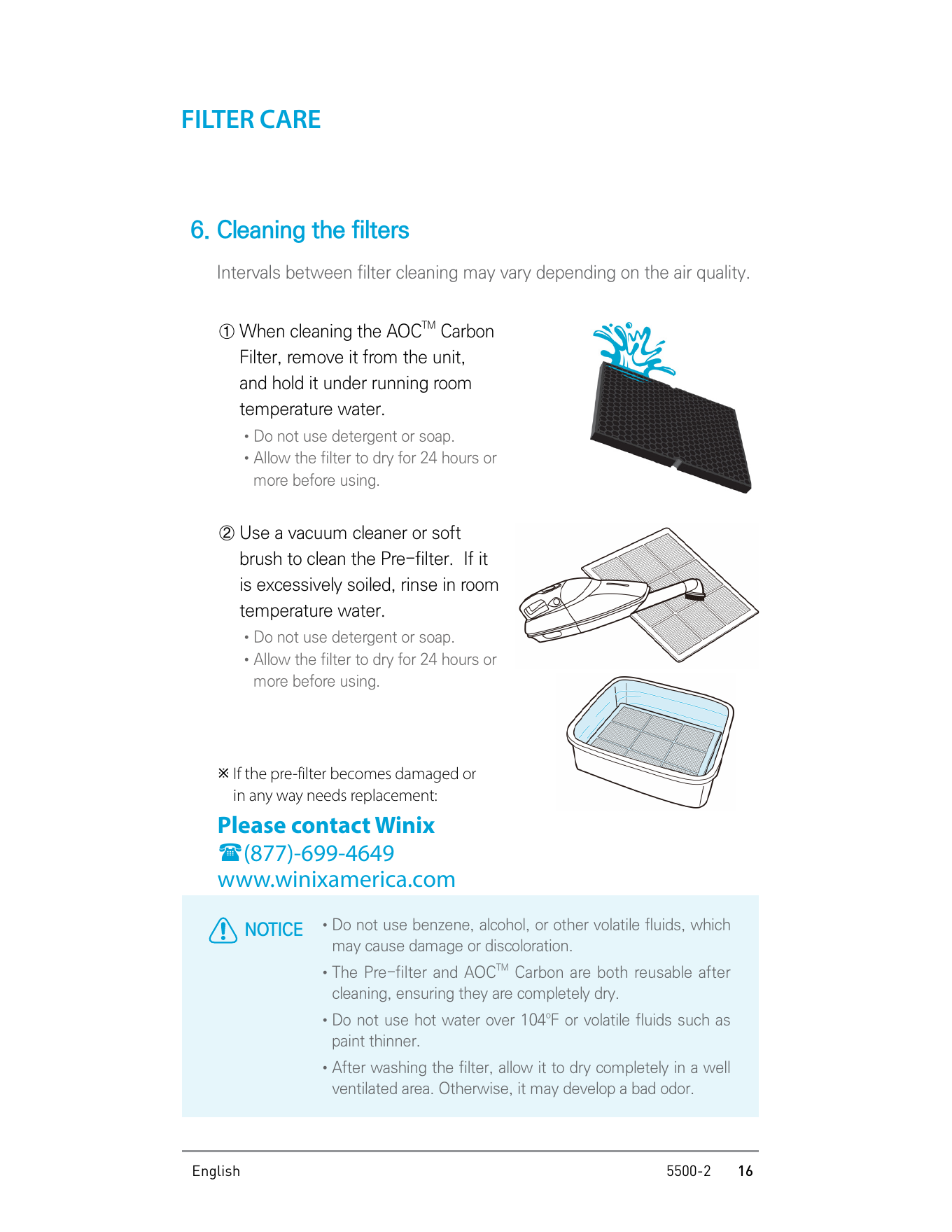
Remove the AOC™ Carbon Filter from the unit and hold it under running room-temperature water. Do not use detergent or soap. After washing, allow the filter to dry for 24 hours or more before using it again.
Cleaning the Pre-filter
Use a vacuum cleaner or soft brush to clean the Pre-filter. If it is excessively soiled, rinse it in room-temperature water. Do not use detergent or soap. Allow the filter to dry for 24 hours or more before using it again.
Important Filter Cleaning Notes
- Do not use benzene, alcohol, or other volatile fluids.
- Do not use hot water over 104°F.
- Do not use paint thinner or other volatile fluids.
- Make sure washable filters are completely dry before reinstalling them.
- Do not wash and reuse the True HEPA Filter.
How to Clean the Exterior and Interior of the Unit
Before cleaning the Winix 5500-2, always unplug the power cord and wait until the unit has cooled down.
Exterior Cleaning
Wipe the exterior with a soft damp cloth using room-temperature water. Then wipe it down with a clean dry cloth. The manual recommends cleaning the exterior every 1 to 2 months to keep the unit in peak condition.
Interior Cleaning
Open the front panel and clean the interior with a vacuum cleaner. For optimal performance, the manual recommends cleaning the interior every 1 to 2 months.
Winix 5500-2 Troubleshooting Tips
The Unit Does Not Turn On
Check whether the plug is securely attached to the outlet. Make sure the outlet has power and that the plug is properly secured. If there is a power outage, check whether other lights and electrical equipment are working.
The Unit Does Not Work in Auto Mode
Make sure Auto Mode has been selected. If the sensor is blocked or clogged, wipe the Odor Sensor with a wet cloth and then dry it.
The Unit Vibrates or Makes a Lot of Noise
Check whether the unit is running on a slanted or uneven surface. Move it to a hard, flat, even area of the floor.
There Is a Strange Smell
If the unit is being used in a place with a lot of smoke, dust, or odors, clean the air intakes on either side and clean the Pre-filter. The manual also recommends cleaning or changing the AOC™ Carbon Filter.
The Fan Strength Is Weak or the Unit Is Not Purifying the Air
Check whether the Check Filter indicator light is on. If it is on, change the filters as required.
The Display Panel Is Dim
Check whether the Light Sensor is blocked by debris. The manual also notes that when Auto Mode is on, Sleep Mode is automatically activated when the Light Sensor detects that the room is dark.
Winix 5500-2 Specifications
| Model Name | 5500-2 |
|---|---|
| Power Voltage | AC120V / 60Hz |
| Power Rate | 70W |
| Room Area Served | 360 ft² |
| Dimensions | 14.9 in W x 7.8 in D x 23.6 in H |
| Weight | 17.6 lbs |
| Replacement Filter | Filter H / Item: 116130 |
| Pre-filter Part Number | 4521-0012-04 |
Conclusion
The Winix 5500-2 is simple to operate once the filters are installed correctly. Before first use, always remove the protective plastic wrap from the filters. After powering on, the unit starts in Auto Mode with PlasmaWave® enabled by default.
For maintenance, clean the Pre-filter once every 14 days and clean the Washable AOC™ Carbon Filter once every 3 months. The AOC™ Carbon Filter lasts up to 12 months, while the True HEPA Filter cannot be washed. When the Check Filter light turns on, replace both the True HEPA Filter and the AOC™ Carbon Filter, then press the RESET switch for 5 seconds.